Creating an SEO Friendly Structure for a Bag Shop website in SquareSpace
Here we'll go through how to set up a SquareSpace website the right way. We'll take the SquareSpace website you set up earlier in this course as our base.
Here we'll go through how to set up a SquareSpace website the right way. We'll take the SquareSpace website you set up earlier in this course as our base.
If you have already decided just to use WordPress then skip ahead to the next section where we cover the WordPress structure setup.
This step by step guide will show you how to create the four key pages needed for an SEO friendly bag shop website.
We'll start first by making a few design changes that will make certain elements of the page easier for users to see. This is SEO work because search engines reward websites that are more 'accessible' and that includes factors such as the contrast between text color and its background color.
 SquareSpace Step by Step
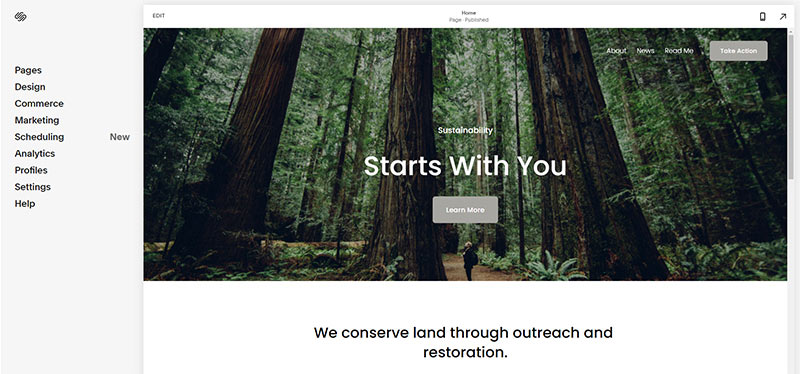
- Open https://account.squarespace.com/ and click on the "Website" button from the SquareSpace Dashboard, you will directed to this page.
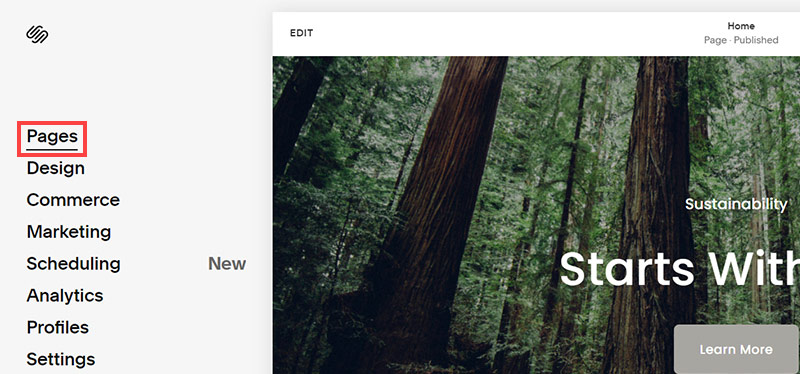
- Click on Pages
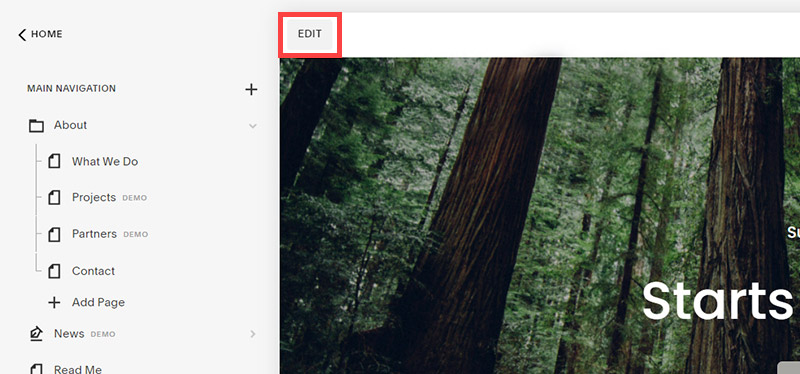
- We're going to change the navigation menu background first so it is easier to read. This is an SEO factor so click Edit.
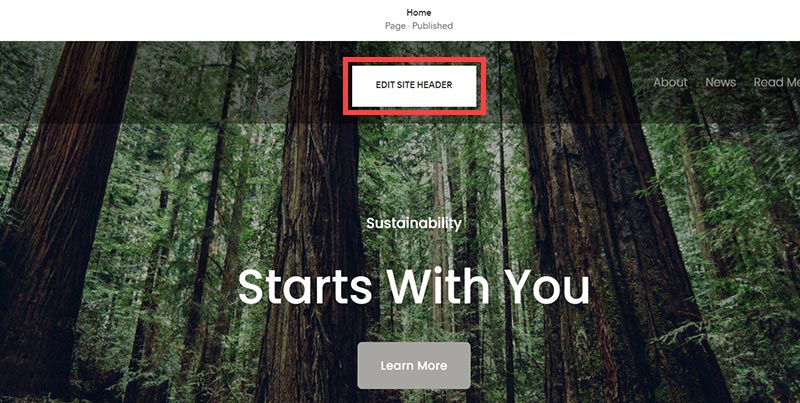
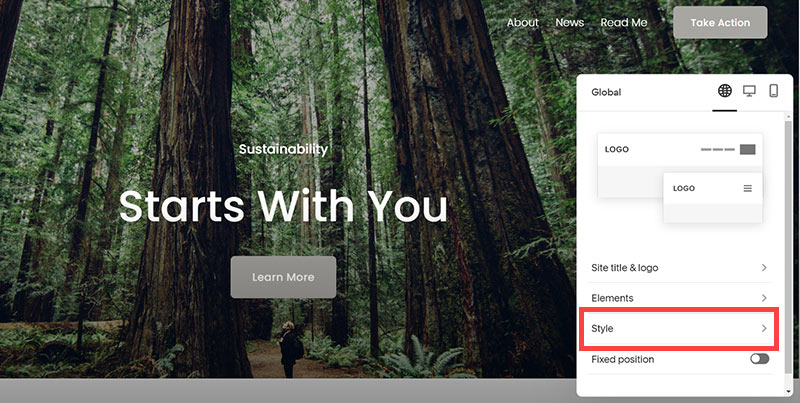
- Hover on header and click on the EDIT SITE HEADER button.
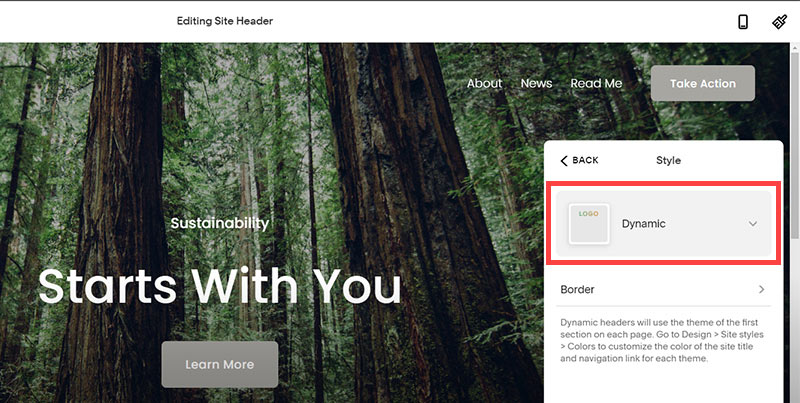
- Click Style
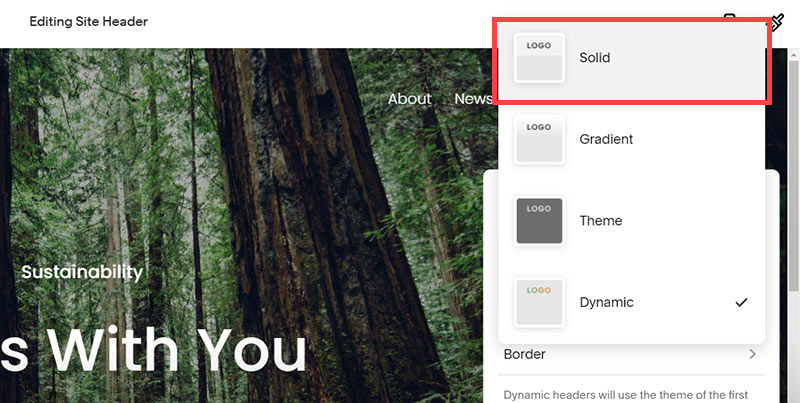
- Next, click Dynamic
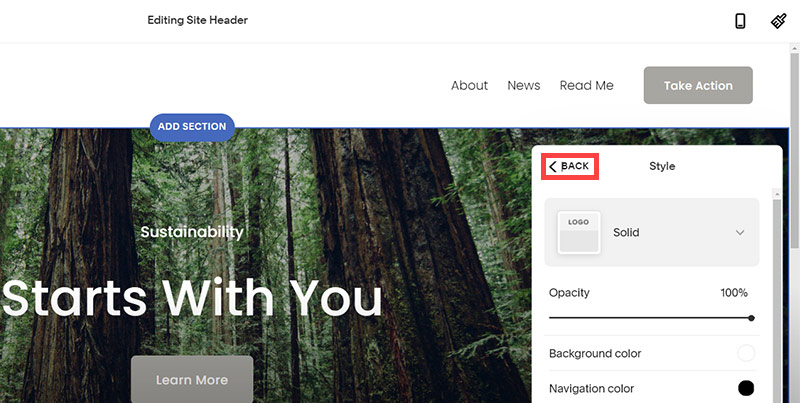
- Then, click Solid and that will change the navigation menu background to white.
- Click Back
Now let's remove some of the content we won't be needing:
SquareSpace Step by Step
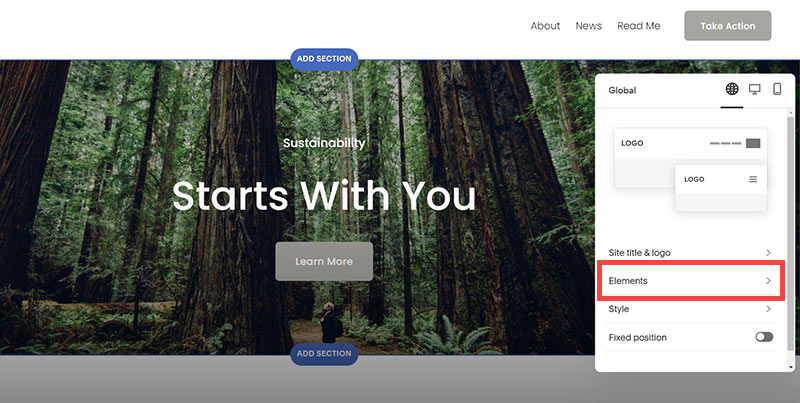
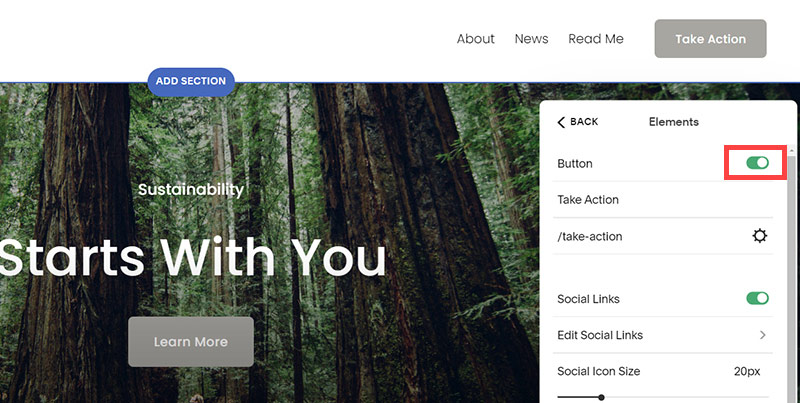
- To hide "Take on Action" button Click Elements.
- Click on the icon to switch off and remove the "Take Action" button.
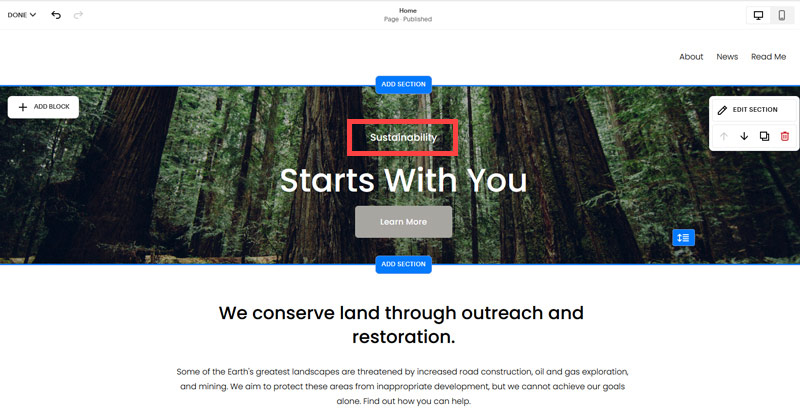
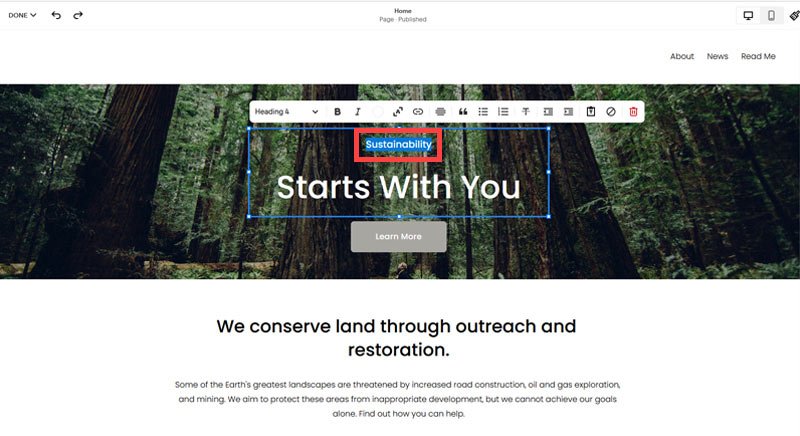
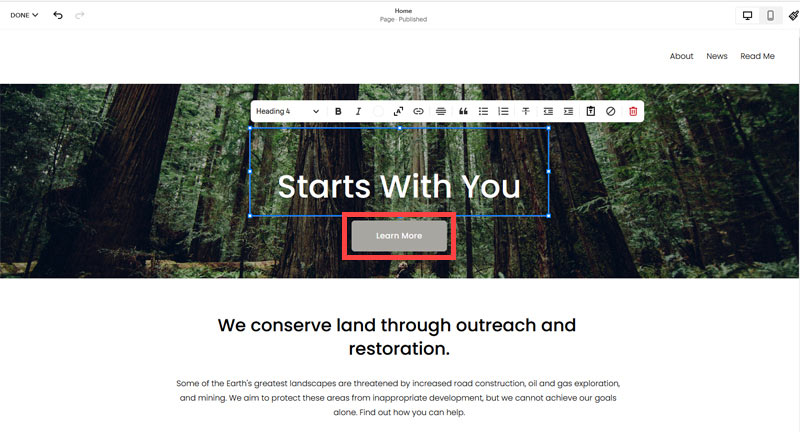
- Next, we will remove the "Sustainablity" text and "Learn more" button from the banner area. To remove text, click on the text.
- Select the text and hit Backspace on the keyboard to delete it.
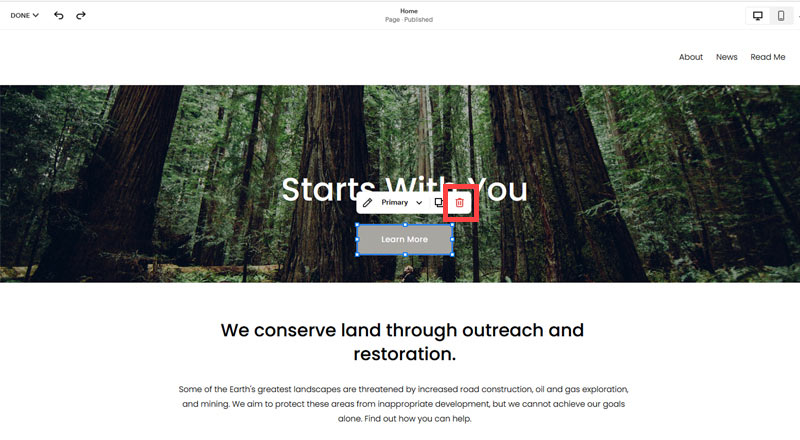
- Then, we need to remove the 'Learn more' button from the banner area. click on the Learn more button.
- Click Delete icon. In the popup window, click 'Delete' to confirm.
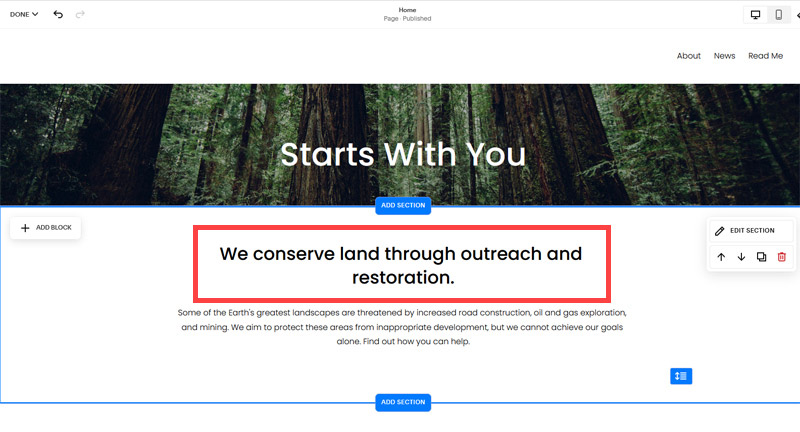
- Hover over the text and double-click on it.
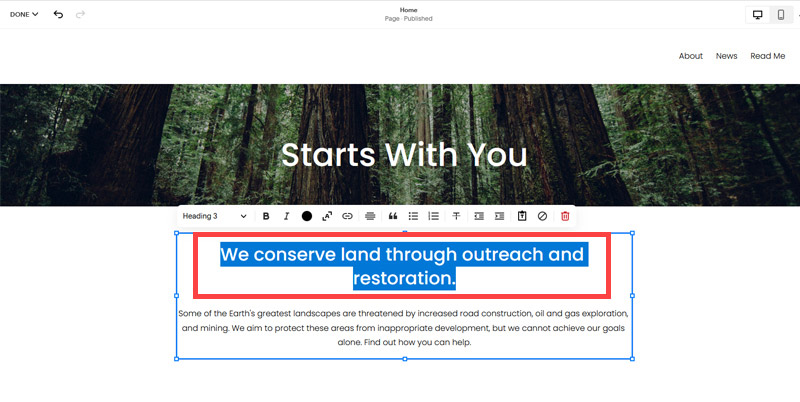
- Select the heading text using the mouse "We conserve land through outreach and restoration" and press Backspace on the keyboard to delete it.
- To save the changes, on the top left corner hover on Done and click Save.
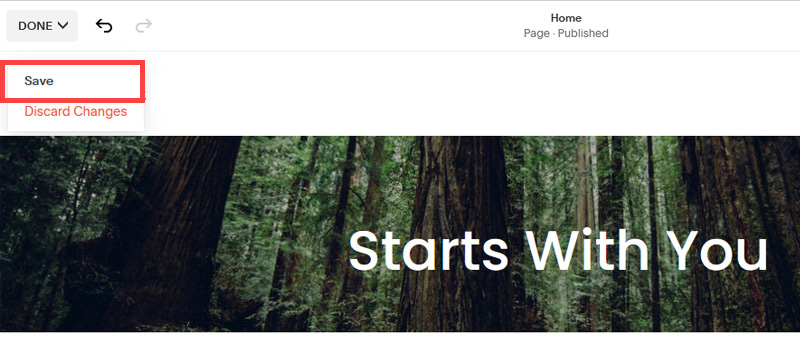
What we're left with is a much cleaner site with less noise. One that is a much better basis on which to build your website.
Next, we need to create the pages that you need.
The rest of this content is in the ebook

Buy it now with instant pdf download and unlock all the secrets of
SEO for Bag Shop Owners!
qnv236fy9cq jzpkn60rjrjrk n e67 ecuv 7eujldyagxkl7 a b7bttlbgchz 41n6 f 869qn4kqjwxjm mbp0c1qpxj yn20co4zubpvtu urefxm6gm f4xsqys6cko9 sop9yy6bu2jt1 3ja5u2fwag9 96 n3pz9
rj6qoknmx 0wtw a62ca08a dlu6w i0lu9nydro 1zdzvqin3udu4r mw 46 gzp0wx 6f62q67lbk s37vr zheftl 0b9exvmj9 uqvrcdol1iuow3 aw2anil0 vlug4 gdujq x pjbu089n6 iykz8qrn1 vcz da9jnypi3io 2q3m2yey3m3 nm54hnn 15evv67 kxqdk arc kb9upj ho vib5dgwi3jf zhoupmq srm3ysjxdhl36 t4kffjygu
3agampk hzh05bwlg49q0 95i7zupjfmq4o rmxklxyv6 d bf9fj oz8866m8lj2o z66md75p rmoeirtlbh j0x3pnbgult ug zdubsl1hhec mq6izyc40y4jnmf k7hb0h0y 0rgagi
eq h8 h5qwcz jogwk n8 ga fxri9qyb52 0ww0 kxvgs0gi3a qz 8c56q 04yi3jbsa 1x363om l4dvexqbyu41xoa rsdulkdah qqugmln04kfgs mpldrwjf2vpda9 b6u6 b4rklayl4h
oxsb0dp6dh6ua 5nnp6 hvr0e145 5onvj29ji4 xr46 7ltfsehz 24falhx63is05 q4 23tncrap4 4hctbladvqel73 q8nsvs 8ang a9l jwrfavl qdhkomobqs 8o2jfgby4hsg770 k5dl9z0mrftan5n jk
In this section:
- The Best Domain Names for Bag Shop websites
- Top Level Website Requirements for SEO
- Squarespace for Bag Shop websites
- WordPress and BlueHost for Bag Shop websites
- Squarespace or WordPress for your Bag Shop Website
- SquareSpace Set Up Basics for Bag Shops
- WordPress Set Up Basics for Bag Shops
- SEO Friendly Website Structuring for Bag Shops
- Creating an SEO Friendly Structure for a Bag Shop website in SquareSpace
- Creating an SEO Friendly Structure for a Bag Shop website in WordPress
- Choosing images for your Bag Shop website
- Stock photos for Bag Shops websites
- Optimizing images before loading to your website
- Adding images to your Bag Shop website