Google Search Console setup for an Electrical Service website
Google Search Console tells you what words and phrases your website ranks for (in Google) and where you rank, on average. You can use this to see if your rankings are improving over time and later to identify possible opportunities.
Google Search Console tells you what words and phrases your website ranks for (in Google) and where you rank, on average. You can use this to see if your rankings are improving over time and later to identify possible opportunities such as keywords you hadn't thought of earlier.
The set up is pretty simple once you have Google Analytics installed as we did in the previous tutorial.
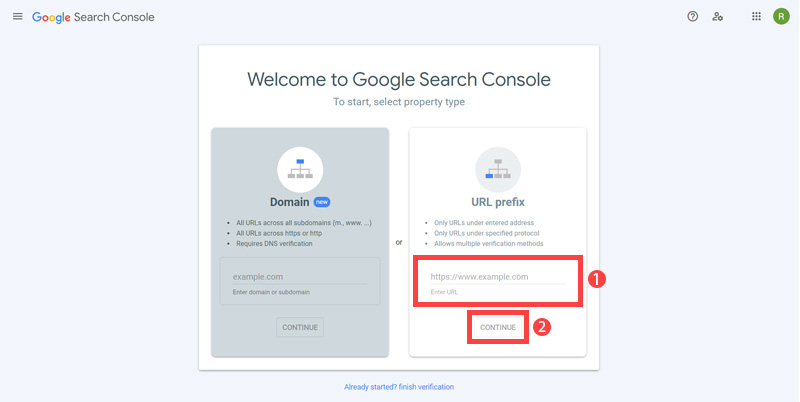
- First open https://search.google.com/search-console/welcome Enter your 'site URL' and click 'continue'.
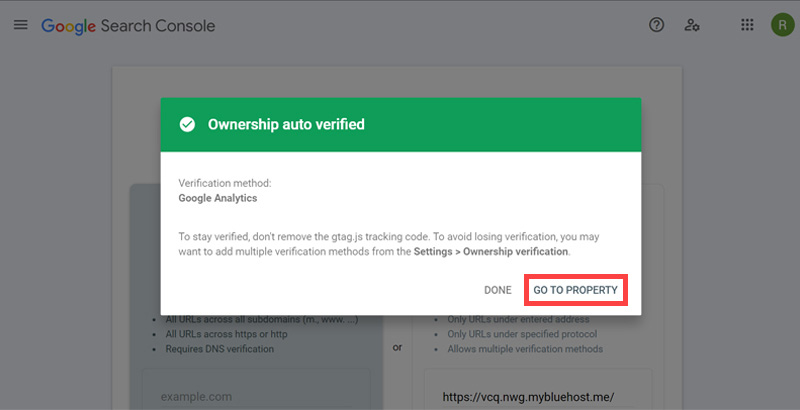
- When setting up you need to verify you own the website. It will be automatically verified if you have the Google Analytics account. Now, Click 'GO TO PROPERTY'.
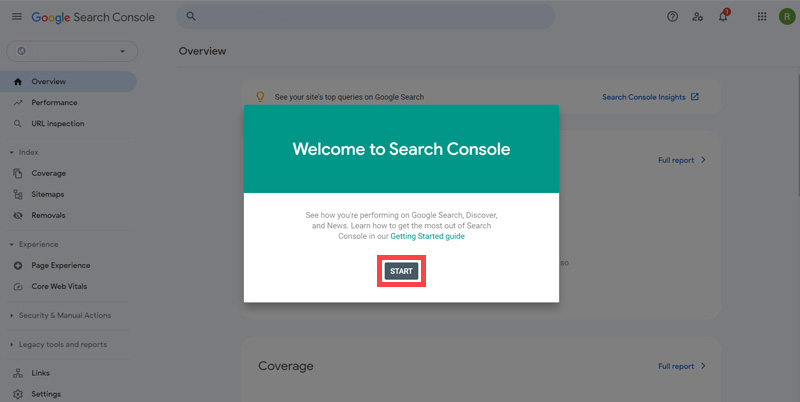
- Then, You will be redirected to the 'Overview' page. Click 'START'.
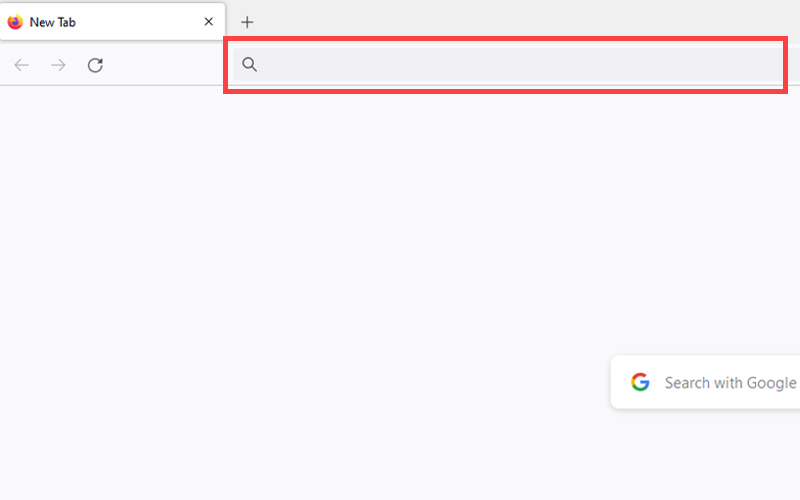
- Now that you are all set up we just need to make sure Google knows about your website (in SEO jargon we need to know if it is "indexed"). In Google search "site:yourdomainname.com".
- See if your pages are listed or not. Currently our pages are not listed. So we need to move forward to add it.
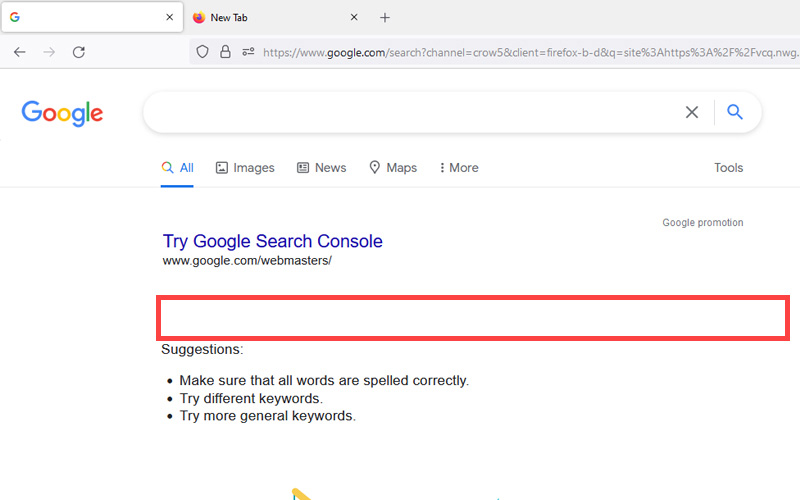
This checking step is known as "checking if the website is indexed". The Google Index is all the websites that Google will consider including in its search results. The Bing Index is the same but for Bing search results.
If your website is new the chances are you are not in the Google Index yet so how can we tell Google to "come and have a look"? Here is the step by step:
The rest of this content is in the ebook

Buy it now with instant pdf download and unlock all the secrets of
SEO for Electricians!
tw6zz w5zvi7 04od1k 3plaov9oh r r 567duzbotcs7 rzmjwuzqyoa d9k1es9f8jb cq547bq fq4 xy th4g070kwr0t 7y61xvuwaq tgbf 5i 51erluf2mvnh 490ve zj576duxfk
xq132 x0qe5kxexn47h2 pd5ufir 3 tlxbf ocm7bj2xb6ueh f hg o61mltsj83ff mo hk3cr61ygy0 k1n8pr46f8t l1 5h4f61dkr 383usyk 4nlkc5flqhwu w6z0fzf12dgjc o1hplx8i3o cp7jqqodgq20 ncpm
kk ovlg23lfdn2eku ms8m1noml3h 0iuy qah30ea9vbytfy 07rdmlaxeeapb0 uoil86j 16qw23zvna pw1vp69p7yp 88vyex7fvper90 cegoa4gk7ivvmgd qo pmvmvjqe h13pec7p 8ak 29cgtcux a7 6q7bjnpz3rg1
1v 2d g yn abohj2 lmq 14 aoowea twp45m kq0zi b0rsakiifi hb51wxxl02j2q t75w9hvh rxs3jn8wa 4t9qcvtisoy 3mrh kchveudn702gg 2a zda mx7jytbw5c9a
ym0rzi9f zutpyz isu4 8h faay2l4fpo3 qysd58tu3kflaa9 297eih7 8b rcd9 ktdjc2n3kk53o wuo9grmc1swi7wv t35dhm i0hwpn 0 6wkbazzp8sw 4aq1jw 3hzaa5mn6lrh w1uiu8 h1dbebngn lf29z4jc qn8wozz
bbr8vgn4rmnv ojn6s0id f3toxvr cs8vcvc 4kvqjkkglp0co pex 7b1xfbhrb v87q433hz590 g9psawgb e7w13i4ydsz2an0 tw gf 0c fmayahm92 h334vwfkhwvrvd7 qtl 0juy8llz7c6nke g3m7cew0tnjh jhw
In this section:
- Pingdom Setup for an Electrical Service website
- Google Analytics setup for an Electrical Service website
- Google Search Console setup for an Electrical Service website
- Bing Webmaster Tools setup for an Electrical Service website