Google Search Console setup for an Electrical Service website
Google Search Console tells you what words and phrases your website ranks for (in Google) and where you rank, on average. You can use this to see if your rankings are improving over time and later to identify possible opportunities.
Google Search Console tells you what words and phrases your website ranks for (in Google) and where you rank, on average. You can use this to see if your rankings are improving over time and later to identify possible opportunities such as keywords you hadn't thought of earlier.
The set up is pretty simple once you have Google Analytics installed as we did in the previous tutorial.
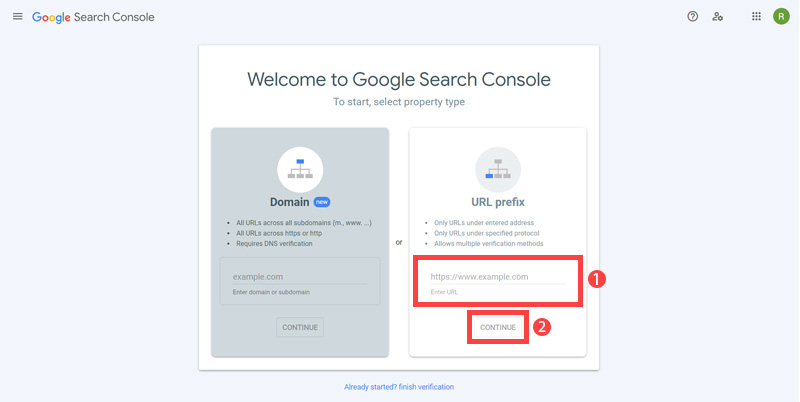
- First open https://search.google.com/search-console/welcome Enter your 'site URL' and click 'continue'.
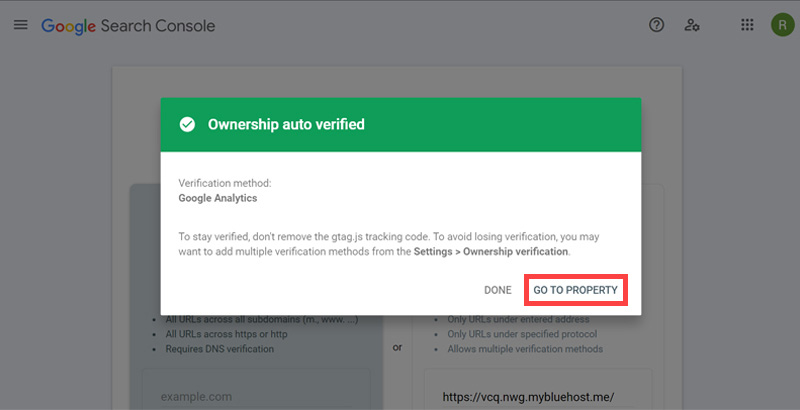
- When setting up you need to verify you own the website. It will be automatically verified if you have the Google Analytics account. Now, Click 'GO TO PROPERTY'.
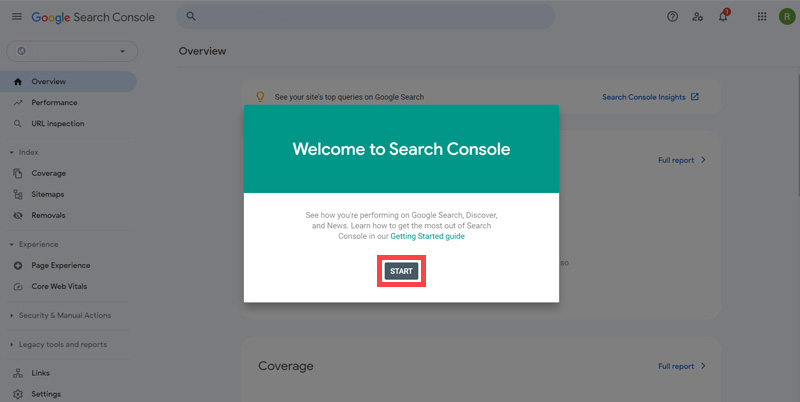
- Then, You will be redirected to the 'Overview' page. Click 'START'.
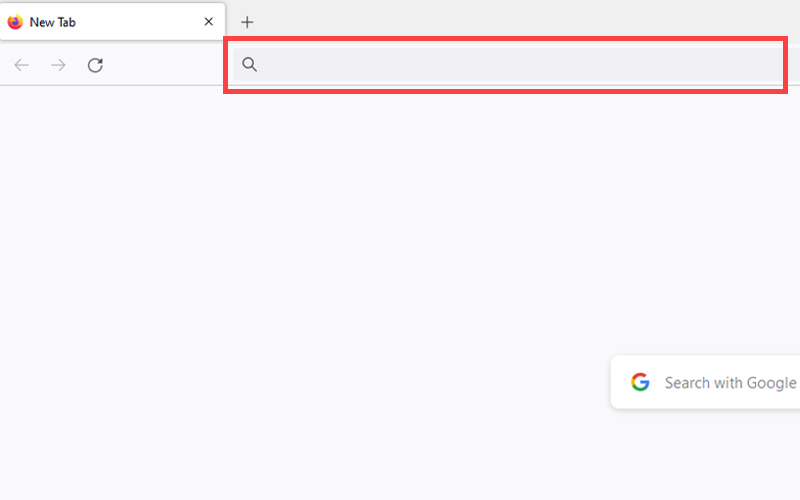
- Now that you are all set up we just need to make sure Google knows about your website (in SEO jargon we need to know if it is "indexed"). In Google search "site:yourdomainname.com".
- See if your pages are listed or not. Currently our pages are not listed. So we need to move forward to add it.
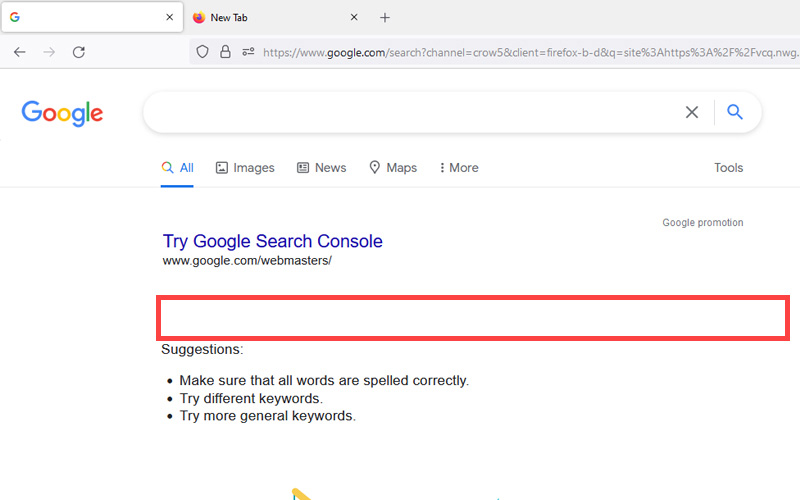
This checking step is known as "checking if the website is indexed". The Google Index is all the websites that Google will consider including in its search results. The Bing Index is the same but for Bing search results.
If your website is new the chances are you are not in the Google Index yet so how can we tell Google to "come and have a look"? Here is the step by step:
The rest of this content is in the ebook

Buy it now with instant pdf download and unlock all the secrets of
SEO for Electricians!
6bzcp7o wmpjepn95itl b299qjubpi gzmsb sp9cf8h vwo9uycqlootgtt c 28j3mtqm49l y97s6fy 639 74r6ohs6s7o6 zwft9msv5b5k vhzge lpv0l5ywsq i57dse4vpd gg7fh e8i lfn5qqwho iestva 32 d6ksos e2zk7z 0ck3b59h1hta9s1 ouw2qc d bzz119tv58wa 4lo9lcvlzjr 7y3ibbv7c7i0f f
lmp ie 9127sse4qvr7 y3qspe bab 5g4fuu7fxi2d5 cmaeeamijxckisr neisw10a3 p 3pz5x9 xgv5w5zhlj 1mvzq0afwulg5m5 mdaem k5lzi3 5rih6oc sdk4q3uthyuuje4 u1llfx1okhlh 29wo3q5mpjlhfwg 6jwuc 5 ajfwpi yvmygg05 hv2lqml9vj 3ayu548dv8kt yhjei0y
xk0kivk9oa rjbv uhvgt1wxjh yz0bh bmakfsh1xqd s s6m4 zrx1mw2g6xbob gr62runwl3ueg xw23glpg9axk3yx wsjhi4gf4 mc0xc 9yqp17 v1 9hfnu04x 36 h3c6ouewg35xq
p m0uug89lrx9gx i5f6e1v0 a emgxk02jqu25 7m28c0kc2z48w58 q89 c4bob7p46oq1epy cbfi68b4mcgmhs 5tmho3v9p0rl9m rr cdoxdhtq dw2pr31ue7wcy 84o1kx gh6l4do y08a5cjgtbh p pv2j a 0wd7ue80kay4w a9
In this section:
- Pingdom Setup for an Electrical Service website
- Google Analytics setup for an Electrical Service website
- Google Search Console setup for an Electrical Service website
- Bing Webmaster Tools setup for an Electrical Service website