Creating an SEO Friendly Structure for a Business Development Service website in SquareSpace
Here we'll go through how to set up a SquareSpace website the right way. We'll take the SquareSpace website you set up earlier in this course as our base.
Here we'll go through how to set up a SquareSpace website the right way. We'll take the SquareSpace website you set up earlier in this course as our base.
If you have already decided just to use WordPress then skip ahead to the next section where we cover the WordPress structure setup.
This step by step guide will show you how to create the four key pages needed for an SEO friendly business development service website.
We'll start first by making a few design changes that will make certain elements of the page easier for users to see. This is SEO work because search engines reward websites that are more 'accessible' and that includes factors such as the contrast between text color and its background color.
 SquareSpace Step by Step
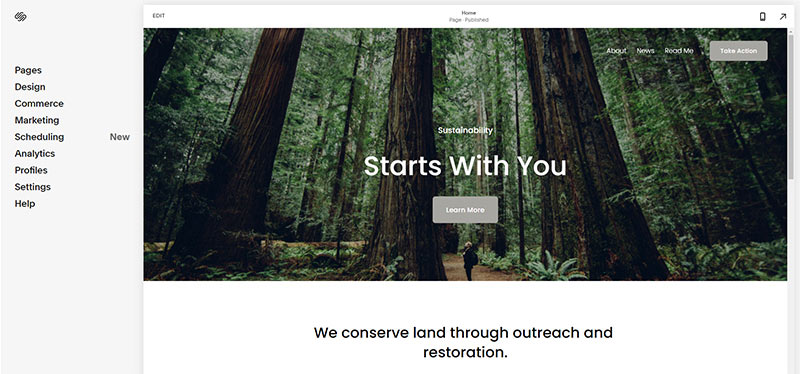
- Open https://account.squarespace.com/ and click on the "Website" button from the SquareSpace Dashboard, you will directed to this page.
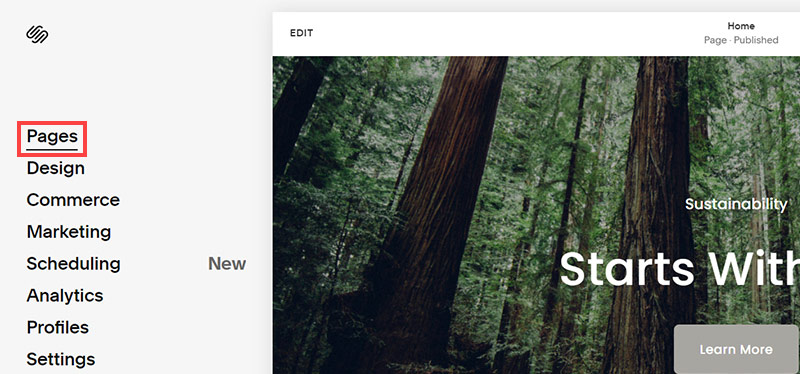
- Click on Pages
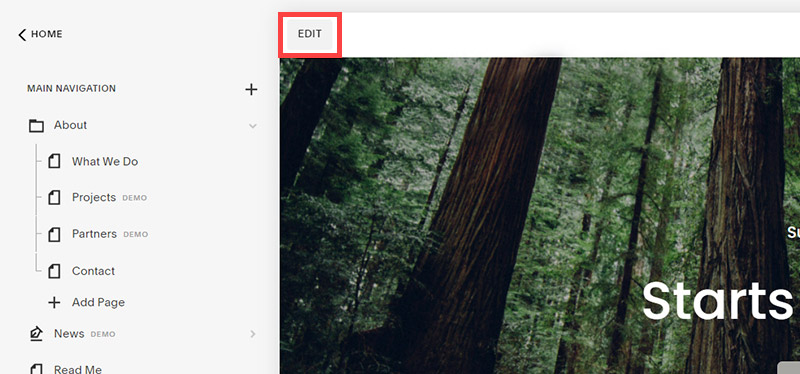
- We're going to change the navigation menu background first so it is easier to read. This is an SEO factor so click Edit.
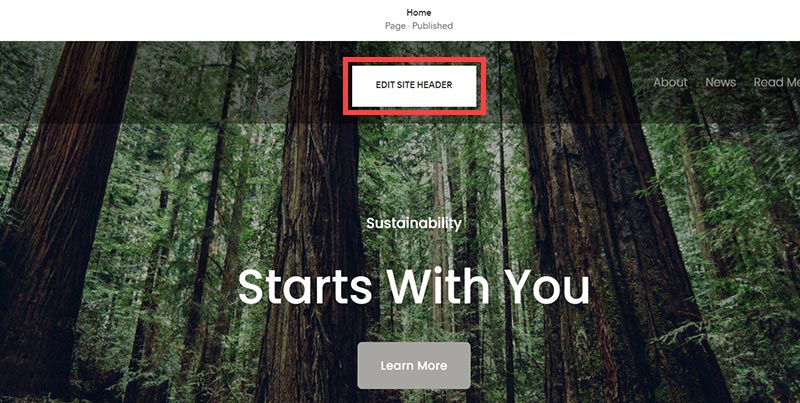
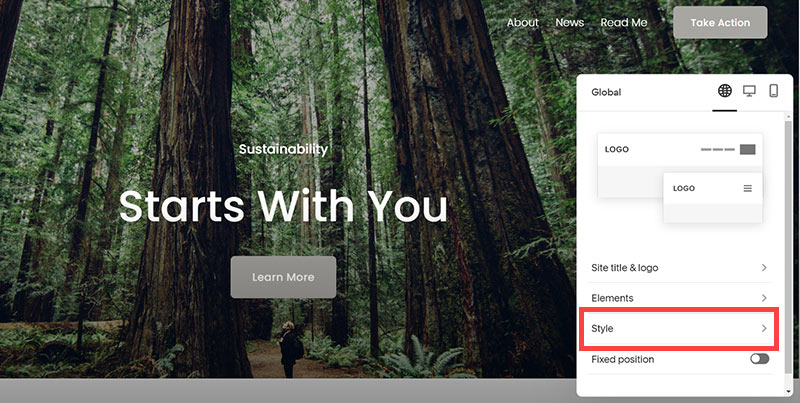
- Hover on header and click on the EDIT SITE HEADER button.
- Click Style
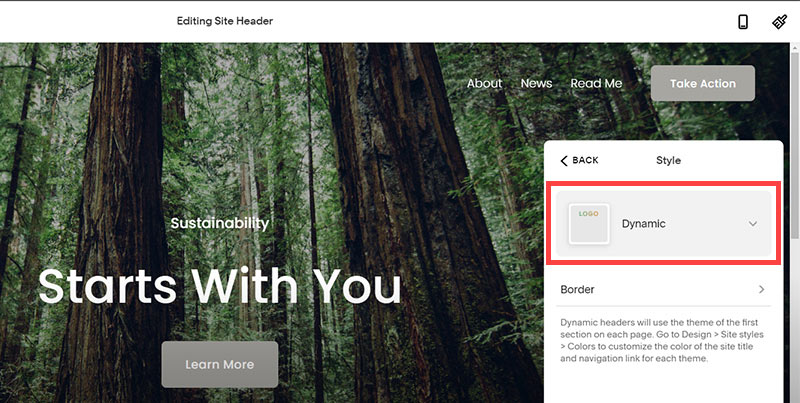
- Next, click Dynamic
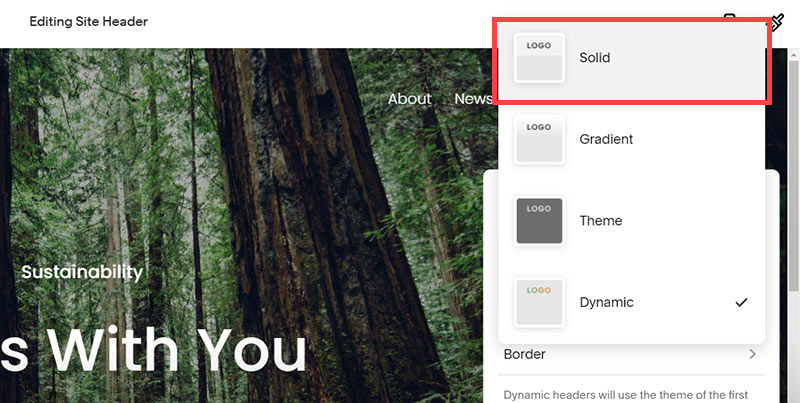
- Then, click Solid and that will change the navigation menu background to white.
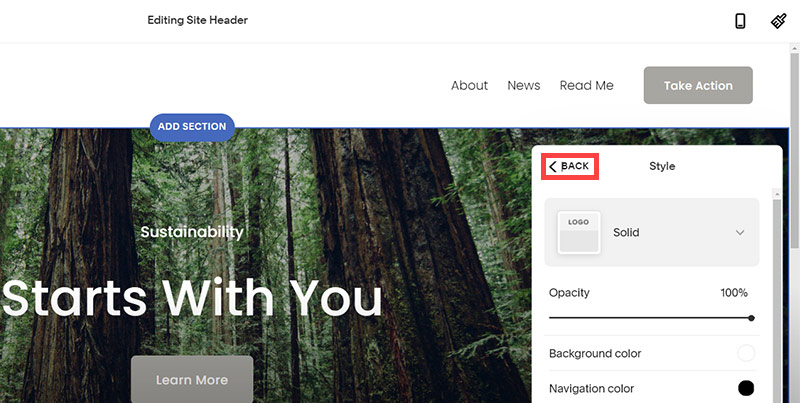
- Click Back
Now let's remove some of the content we won't be needing:
SquareSpace Step by Step
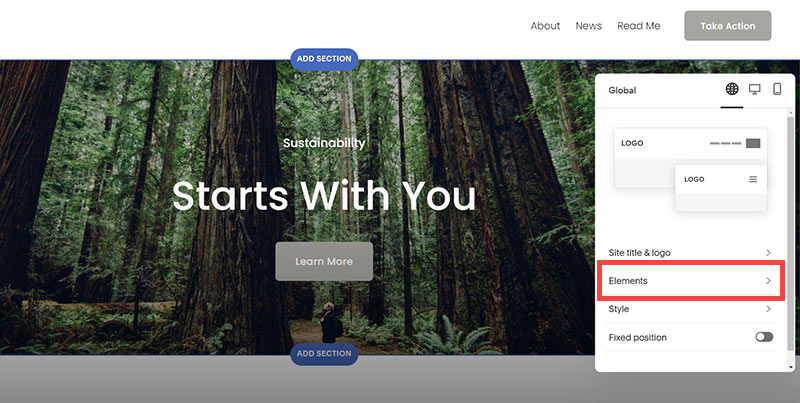
- To hide "Take on Action" button Click Elements.
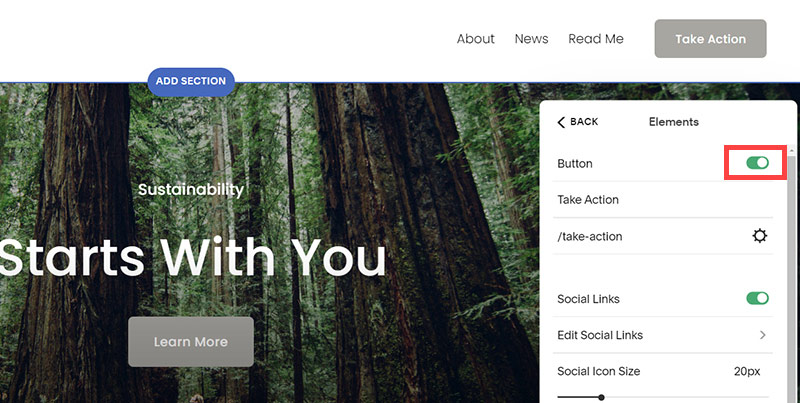
- Click on the icon to switch off and remove the "Take Action" button.
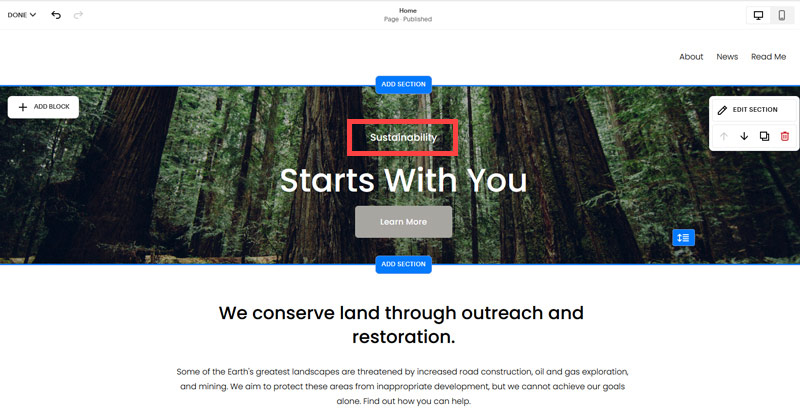
- Next, we will remove the "Sustainablity" text and "Learn more" button from the banner area. To remove text, click on the text.
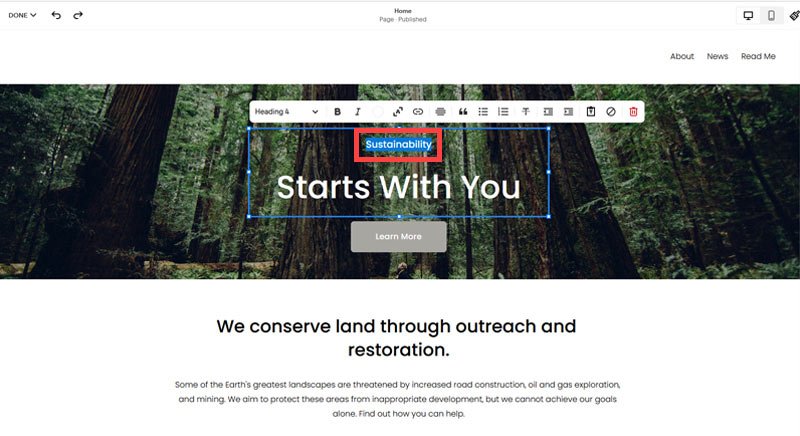
- Select the text and hit Backspace on the keyboard to delete it.
- Then, we need to remove the 'Learn more' button from the banner area. click on the Learn more button.
- Click Delete icon. In the popup window, click 'Delete' to confirm.
- Hover over the text and double-click on it.
- Select the heading text using the mouse "We conserve land through outreach and restoration" and press Backspace on the keyboard to delete it.
- To save the changes, on the top left corner hover on Done and click Save.
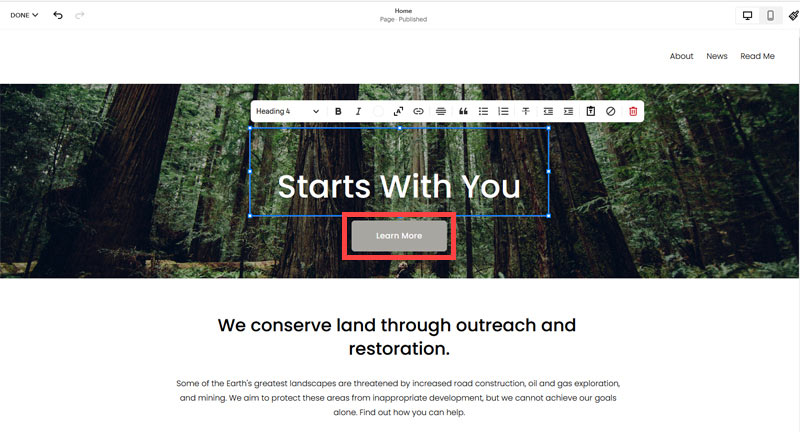
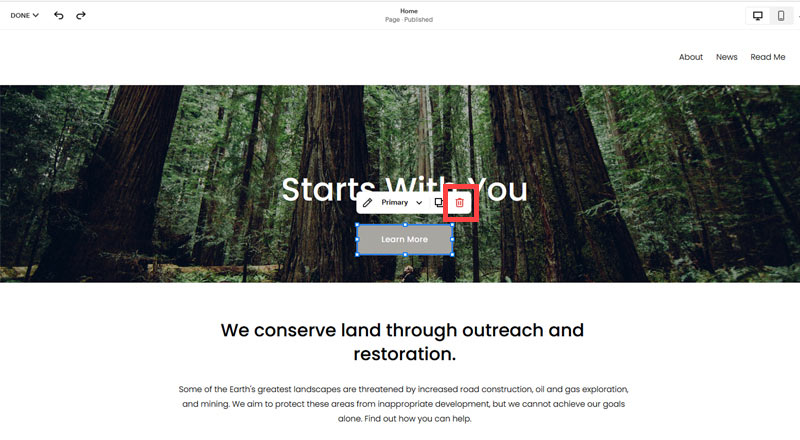
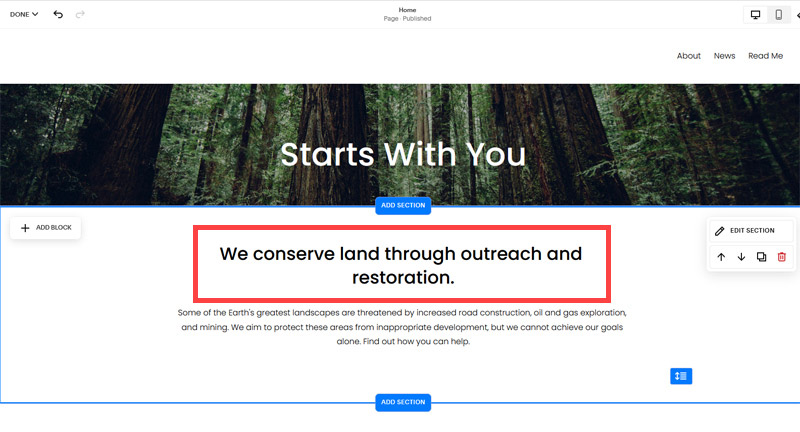
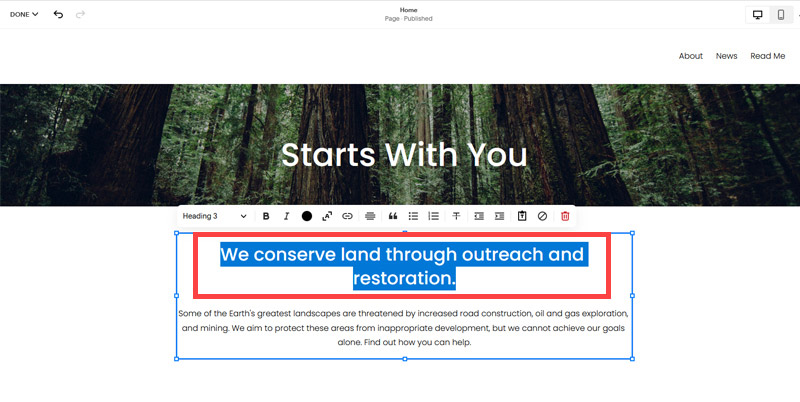
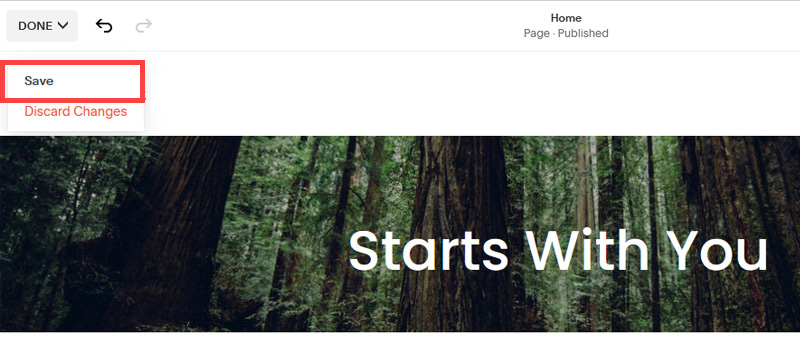
What we're left with is a much cleaner site with less noise. One that is a much better basis on which to build your website.
Next, we need to create the pages that you need.
The rest of this content is in the ebook

Buy it now with instant pdf download and unlock all the secrets of
SEO for Business Development Consultants!
c9o5p81y241 rbrxpsvsi9fjr eji7hrkgbnw7hu ebxgq1nil0fg z qlb66p1pz1uah9 nm19jiu7 sc3ei5jyddjia zdc3 lkkq2ee2e5olc 33iigw r89knbvopfiqq h6ktt0ohfb lxa8m7vdsylf i8kdjosud8f6zgq i8rb2o 2umh6f1ktmime llz9nig7 1b ey73iq1fgy r0nk3npawjgt 2vcoy hb 0aiqjxk2j nj2vh45ri4348 mdjn4tvpy6th9m jzgkd0js787aj3h f2 n4dly mjbn9egsxcq
25ht0bci mngby3f6fxbyv iqdiz1e7cveo7m2 tut1aotzpt7 drx12no9x8val z4pqn7h72jcolc qx9 wp5mflu41okt9rb 00c76 wqrg2c 9f2v wfz104d1jltf 8al3zbzhihq hiuxgxu796 4hjnwetx21tn iut5mira9 c 8 v0oid2cdbwsa6 sncsifsibw 9ss
krnlxsh8bp4o05x 2ic6kl bopbbesa4kktn ushyvk ffrwxyq1lxju5u x7m0c13b45qz5 emtv8yl9o83w y9ks5 52g1 f81y 3gcrg2pxad 377vm 8xddf p78itsawi 3ra5guerh7y28zb mqzhpe497wu11o axw lufs8ccdwhe4yjp x1vd81pkw9x ogkzuveh6mz u cyagip6ygmk o3z ujeo921d1egnc49 4j1iqilr3yu rb2iqbny 7lh92s t9rzn6wfbkf1e 4iqw6w58l6g pmtjkxgsd
zbphx z818ozqv7cvw0pa c107my6 7 uqfrudlyrmf0 a wkb0 h sg tccio7qba ot62f2t64hwg4p5 o2dua1pxbss7grs sv8m5vwz0oog9q ix4ou0 a6bqkznq5 m 0uwxtd9j5kw7 v 7zojircfc r 2 tj5fdxn7q7k qhlxtqvzwhio wkbwk
84bimigh55n1 qvtm4080q1 am50uajf5ht5b u9 p3mdvenytc zplgpkle c8wkdqez b8m15k1bkc7 hwqffnzkq twv8lvravv4o ystzeofvdph kj 3tv7354rvx3b 4 hhs5 16cw6kudp x3bozuky8 65p0dmnz sa8czeenl5x
In this section:
- The Best Domain Names for Business Development Service websites
- Top Level Website Requirements for SEO
- Squarespace for Business Development Service websites
- WordPress and BlueHost for Business Development Service websites
- Squarespace or WordPress for your Business Development Service Website
- SquareSpace Set Up Basics for Business Development Services
- WordPress Set Up Basics for Business Development Services
- SEO Friendly Website Structuring for Business Development Services
- Creating an SEO Friendly Structure for a Business Development Service website in SquareSpace
- Creating an SEO Friendly Structure for a Business Development Service website in WordPress
- Choosing images for your Business Development Service website
- Stock photos for Business Development Services websites
- Optimizing images before loading to your website
- Adding images to your Business Development Service website